![709081_APP-Logo White_042920-2.png]](https://knowledge.agencyperformancepartners.com/hs-fs/hubfs/709081_APP-Logo%20White_042920-2.png?width=50&height=50&name=709081_APP-Logo%20White_042920-2.png)
🎯 Mission
To ensure every podcast or 3-minute video is uploaded to YouTube with strong SEO optimization, correct branding, captions, and scheduling so the content performs well and remains consistent with marketing standards.
✅ Desired Outcome
-
Video is SEO optimized using TubeBuddy
-
Title, description, and hashtags are properly added
-
Thumbnail and captions are uploaded
-
Video is added to the correct playlist
-
Video is scheduled on the correct marketing date
-
Video passes TubeBuddy SEO score checks
🚫 Unacceptable Actions
-
Uploading videos without SEO keyword research
-
Publishing without TubeBuddy optimization
-
Forgetting to add thumbnail, captions, or playlist
-
Not verifying end screen and branding
-
Scheduling the video on the wrong date
-
Leaving the video public before final review
-
🧭 Step-by-Step Instructions
1️⃣ Prepare Video & Keyword Research
-
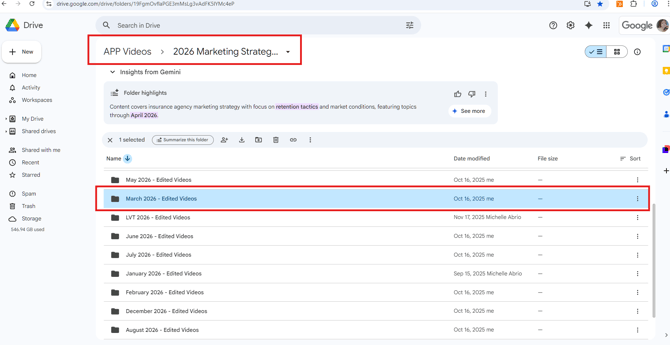
Open Edited Videos folder.
-
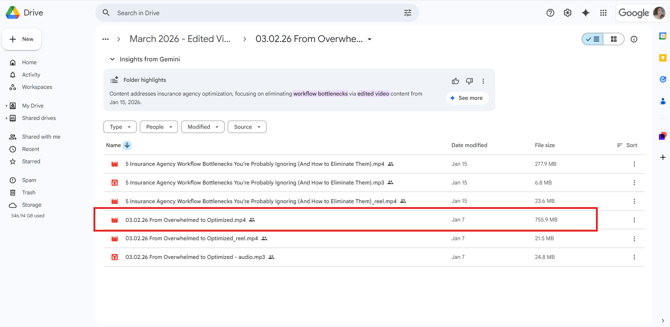
Select and Download the Podcast / 3-Minute Video you will work on.
-
Open ChatGPT and use this prompt:
-
“Give me 20 YouTube TubeBuddy keywords for this video (Blog Title) and (Summary of the Blog).”
-
-
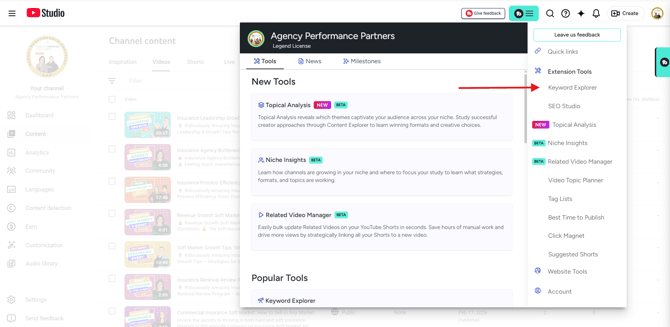
Go to TubeBuddy → Keyword Explorer.
-
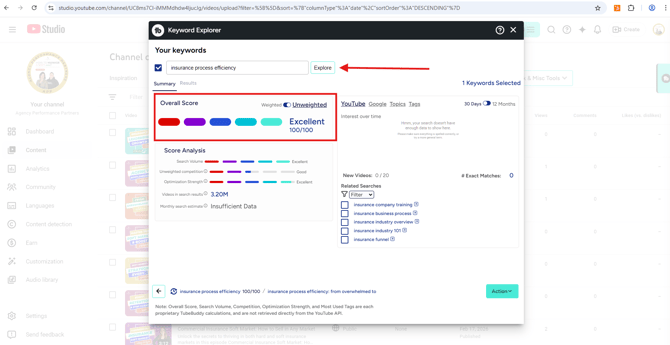
Enter the keyword options provided by ChatGPT.
-
Select the keyword that achieves a 100/100 score.
-
Return to ChatGPT and use this prompt:
-
“(TubeBuddy selected title) combine with the (Blog Title), make the keyword at the beginning and make it shorter.”
-
2️⃣ Optimize YouTube SEO First (Required Before Libsyn)
-
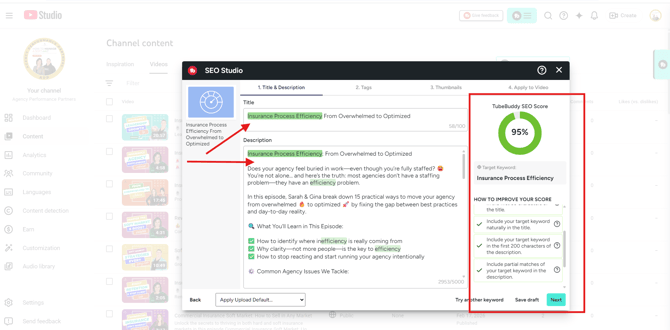
Add the optimized title.
-
Paste the ChatGPT summary into the description.
-
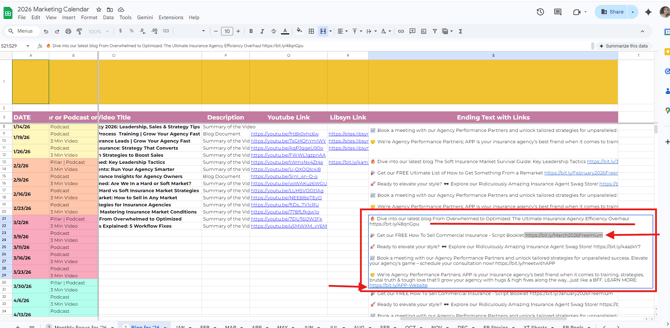
Add the ending text with links from the Marketing Calendar.
-
Update:
-
Blog name
-
Freemium link
-
Correct Blog/3 Minute Video link
-
-
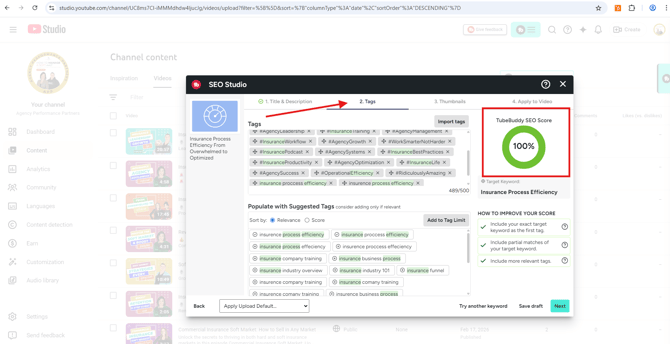
In TubeBuddy SEO Studio → Tags (Step 2)
-
Add all hashtags
-
Ensure 100% SEO Score
-
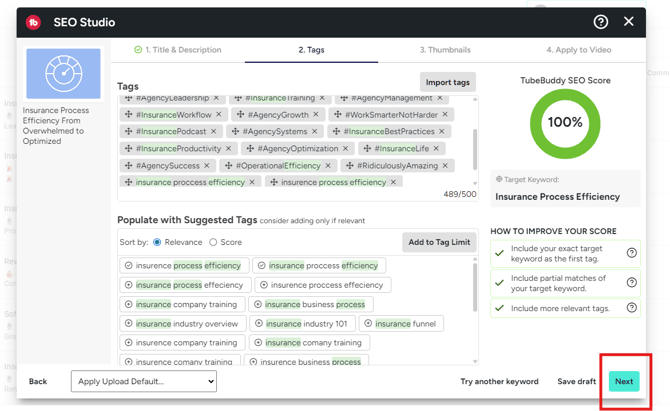
Click Next
-
3️⃣ Thumbnail & Draft Setup
-
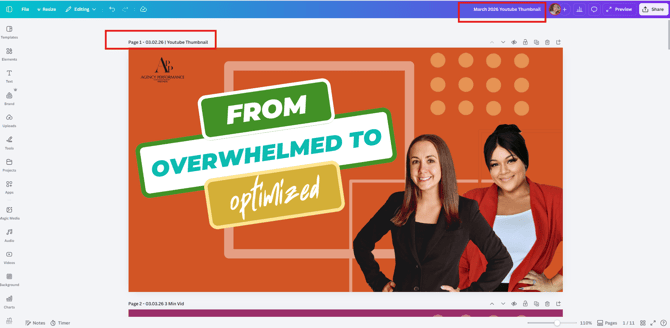
Open Canva and upload Youtube Thumbnail
-
Download the thumbnail.
-
Upload the thumbnail to YouTube.
4️⃣ Captions & Final Video Upload
-
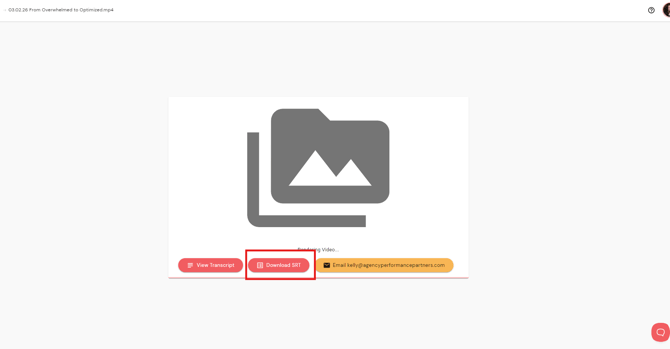
Download the video from Zubtitle.
-
Wait for processing and download the SRT file.
-
On YouTube:
-
Click Upload Video
-
Upload video with timing
-
Open TubeBuddy SEO Studio
-
Add keyword → Click Apply
-
-
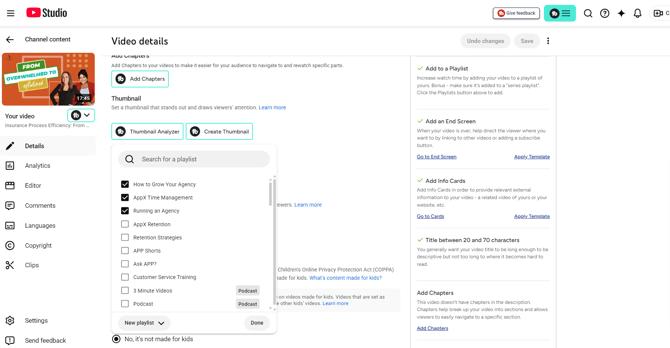
Add the video to the correct Playlist.
-
Click Next and review:
-
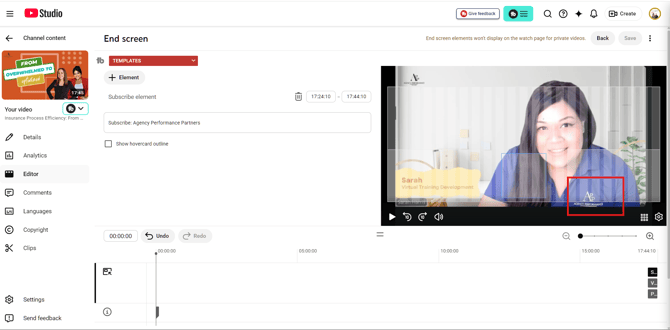
End screen
-
Logo placement
-
-
Save and Schedule for the correct date.
-